Abacus AI Assistant
for Microsoft 365

Agents that build in Office.

Ask for a deck, a report, or an analysis — and get native, fully editable slides, charts, and tables created inside the document you already have open.

Free to install · works with your existing Abacus.AI account

Key Features

Builds Full
Presentations
Native, editable slides with charts
Analyzes Data
& Charts It
Formulas and reports, in place
Drafts, Rewrites
& Summarizes
Grounded in the open document
Agentic Web
Research
Searches, cites, and iterates
W WordDraft, rewrite, summarize
X ExcelAnalyze, formulas, charts
P PowerPointBuild full decks
O OutlookTriage and reply

Not a chat window bolted onto Office. An agent working in it.

Every result lands as native Office content — editable in Outline View, restyled by your theme, recalculated by your formulas.

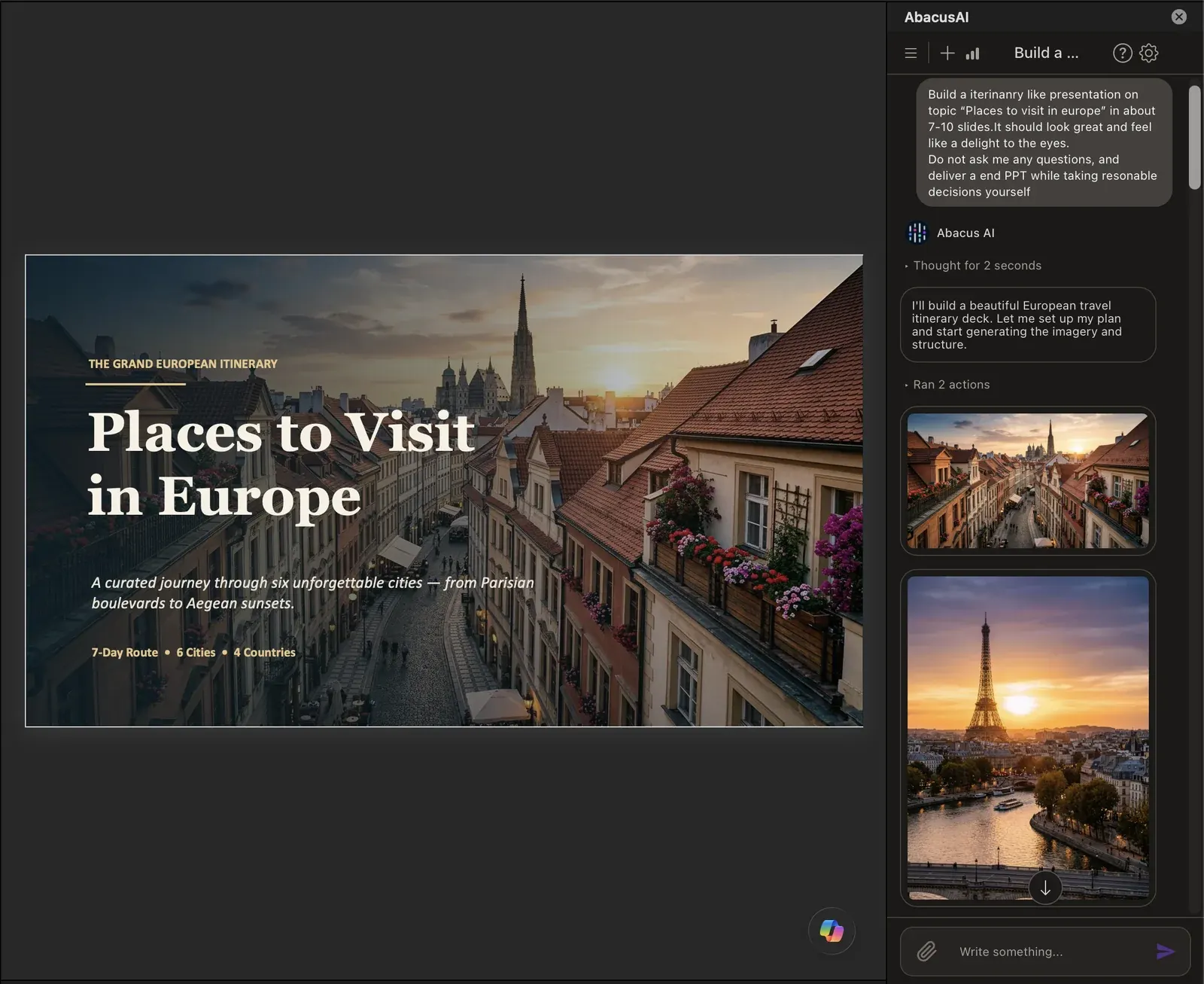
Abacus AI in PowerPoint: a finished travel-deck title slide beside the task pane generating hero imagery for the presentation

PPowerPoint

Build a presentation from one prompt

Research, structure, design — slides arrive with hero images, native charts, and cited stats, appended to your open deck.

  • Real placeholders — Outline View just works
  • Native charts and tables, not pictures
  • Iterate: "make slide 4 more visual"
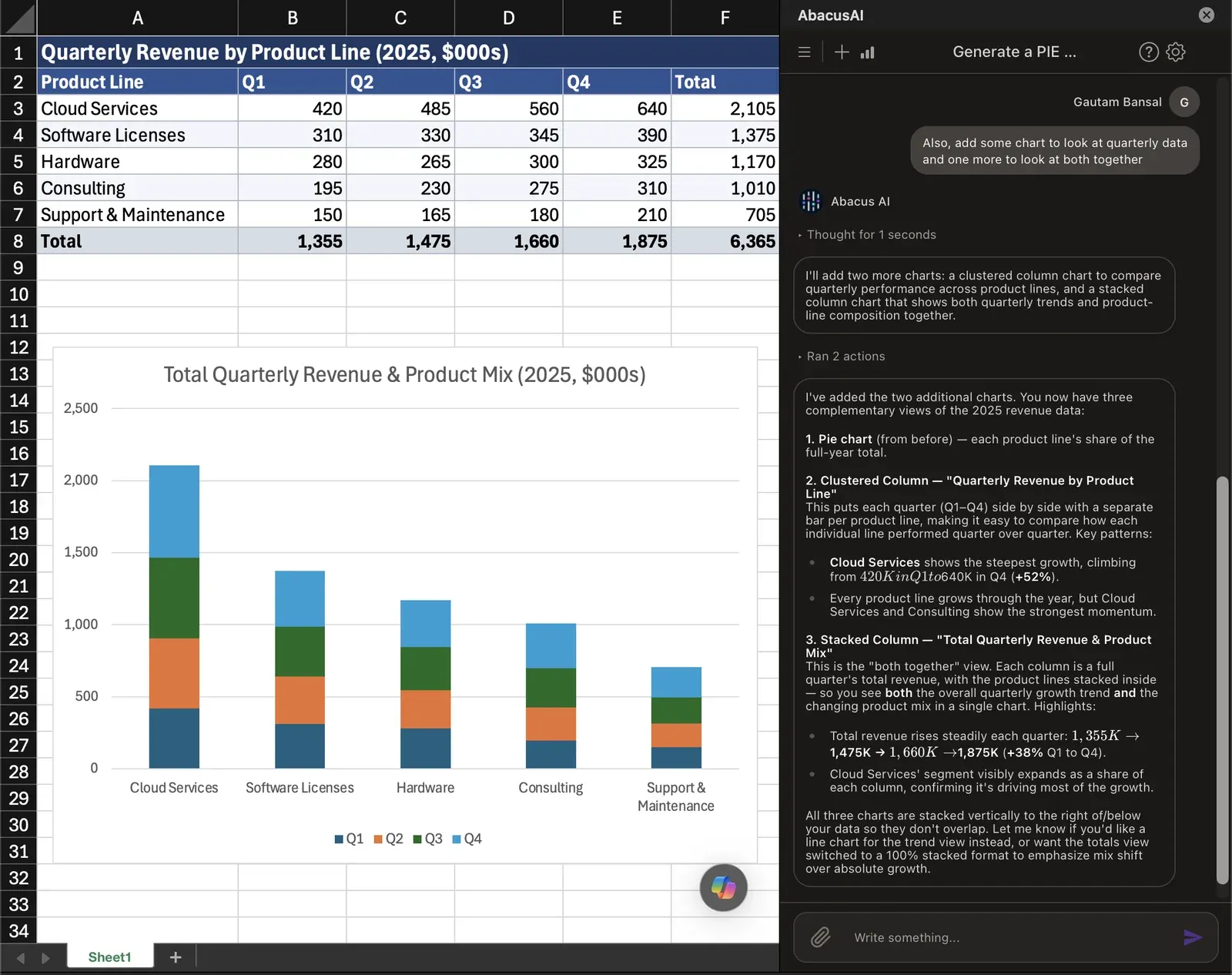
Abacus AI in Excel: a revenue table with a generated stacked column chart, the task pane explaining the three chart views it added

XExcel

Turn a workbook into the report

Point it at messy data and get formulas, formatting, charts, and the written narrative — in place.

  • Reads your sheet's actual structure
  • Writes formulas and formats ranges directly
  • Generates the summary alongside the numbers
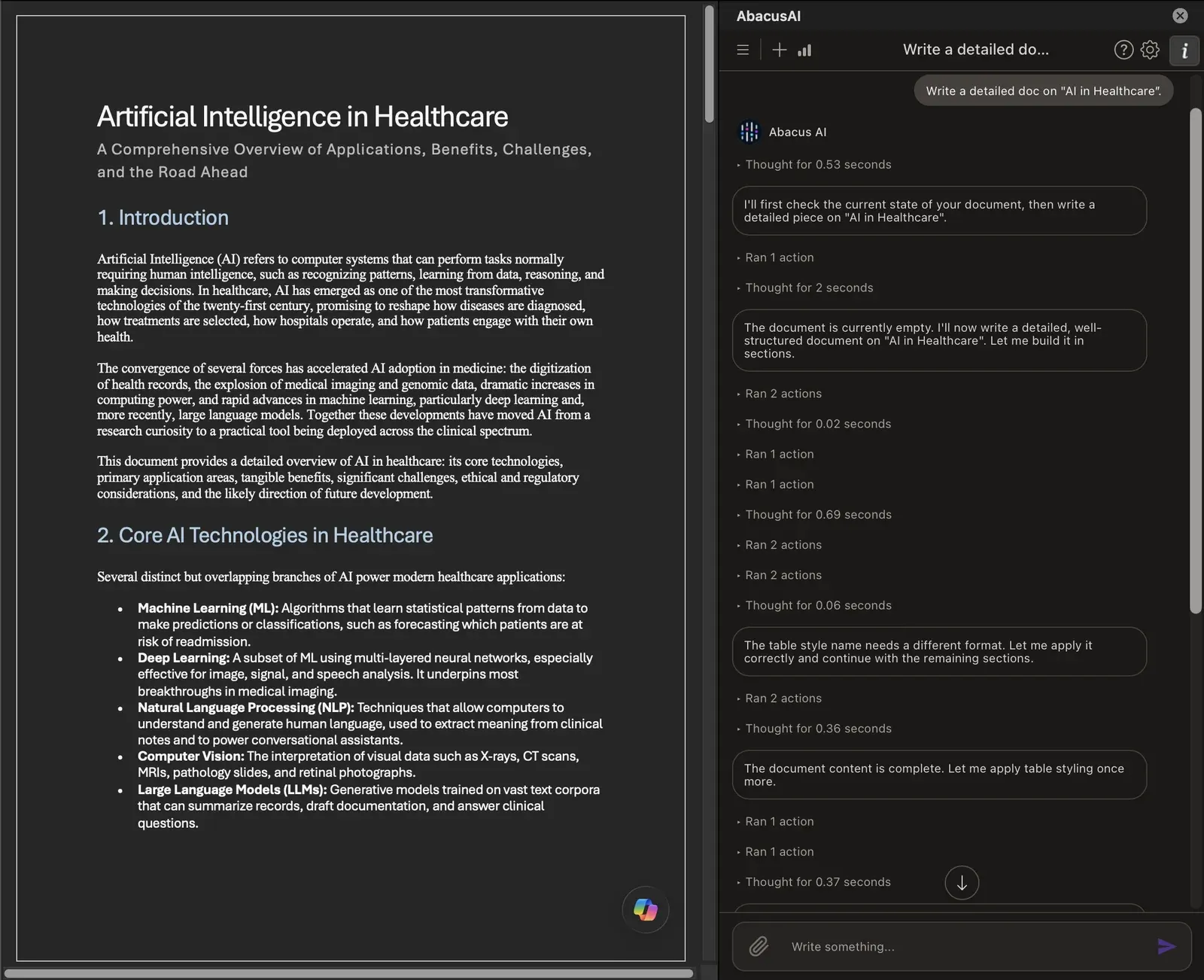
Abacus AI in Word: a structured multi-section document written by the assistant, with the task pane showing its progress

WWord

Draft, summarize, and reply — grounded

Context comes from the document or thread that's open, not from copy-paste. Image generation and analysis included.

  • Long docs become one-page briefs
  • Structured, styled documents from one ask
  • Email triage and drafted replies in Outlook

Built different where it matters

Editable output

Outline View, themes, and reflow all work — because slides are built from real placeholders.

Native charts & tables

Data-backed PowerPoint charts and Excel objects you can restyle and update.

Agentic research

Searches the web, cites sources, and works in steps — not single-shot generation.

Your choice of depth

High, Balanced, or Low effort per conversation — powered by the latest frontier models.

Three ways to install

Bonus Access To Abacus AI Agent And ChatLLM Teams

Abacus AI Agent

Abacus AI Agent

A Very Powerful General Purpose Agent

Generate and host apps

Create videos, slides and docs

Automate with Tasks & Triggers

Research and data analysis

ChatLLM

ChatLLM Teams

AI Super Assistant For All Your AI Needs

All the best AI models

Humanize your text

Projects and collaboration tools

Top video and image generators

Your All-In-One AI Platform
ChatLLM Teams + Abacus AI Agent!
Access all the state-of-the-art AI in one powerhouse package. Top LLMs, image and video generators, an AI-based code editor, and the general-purpose Abacus AI Agent in one place!
Get Started

$10 $7 for the first month, then $10 billed monthly Learn more

ChatLLM ChatLLM
Abacus
AI Agent
Abacus AI Agent
Have Questions?
If you have any questions or feedback, please don't hesitate to reach out to us at support@abacus.ai. Our team is ready to assist you with anything you need, and are always working to improve your experience.
FAQ